Sales Order vs Purchase Order: An Overview
8 mins
Sep 12, 2025
Introduction
A purchase order (PO) is created by the buyer to request goods or services, while a sales order (SO) is created by the seller to confirm and fulfill that request. They represent the same transaction from opposite sides - the buyer's PO becomes the seller's SO. The main difference: purchase orders are external documents sent from buyer to seller, while sales orders are internal documents sellers use to manage fulfillment.
Both documents track the same information - items, quantities, prices, shipping details - but they use different identifiers and exist in different systems. This is why matching POs to SOs causes reconciliation headaches for companies managing orders manually. (If you've ever spent 20 minutes on the phone with a customer arguing about whose order number is "right," you know exactly what I mean.)
Let's break down exactly what each document does, how they differ, and why the distinction matters for your order processing.
Sales Order vs Purchase Order
Here's how sales orders and purchase orders differ:
Aspect | Purchase Order (PO) | Sales Order (SO) |
|---|---|---|
Created by | Buyer (customer) | Seller (vendor) |
Purpose | Request to purchase | Confirmation to fulfill |
Document type | External - sent to vendor | Internal - stays in seller's system |
Item numbers | Buyer's part numbers | Seller's SKUs |
Identifier | PO number (buyer's system) | SO number (seller's system) |
Used for | Authorization, receiving, payment | Picking, shipping, invoicing |
Legal weight | Binding purchase commitment | Acceptance of purchase terms |
When created | Before transaction begins | After receiving PO |
The key insight: these documents contain the same transaction details but serve different operational purposes for different parties.
What is a Purchase Order?
A purchase order is the buyer's official document requesting goods or services from a vendor. When a company needs to buy something, they create a PO that specifies exactly what they want, how much they'll pay, and where to ship it.
According to the American Production and Inventory Control Society (APICS), purchase orders serve as the foundational document in the procurement-to-pay cycle, providing legal authorization for the transaction and creating an audit trail for financial compliance.
Purchase order components
Every PO includes standard information the vendor needs to fulfill the order:
Header information: PO number (the buyer's unique identifier for this transaction), buyer's company details and contact information, vendor name and address, order date and requested delivery date, and payment terms and conditions.
Line item details: Item descriptions or part numbers (from the buyer's catalog), quantity ordered for each item, unit price and extended price, and any special instructions or requirements.
Shipping and billing: Ship-to address (where the goods should be delivered), bill-to address (where to send the invoice), and shipping method or carrier requirements.
The PO serves as the buyer's authorization to purchase. Their accounting department uses it to approve payment. Their receiving department uses it to verify shipments. Their procurement team uses it to track spending and vendor performance.
How purchase orders are sent
Buyers send purchase orders to vendors through several channels, and if you're on the receiving end, you're dealing with all of them simultaneously.
Large enterprises typically use EDI (Electronic Data Interchange) through networks like SPS Commerce, TrueCommerce, or OpenText, transmitting POs as structured data files. The EDI 850 document standard defines the format, but implementation varies enough that you're still managing customer-specific mapping requirements.
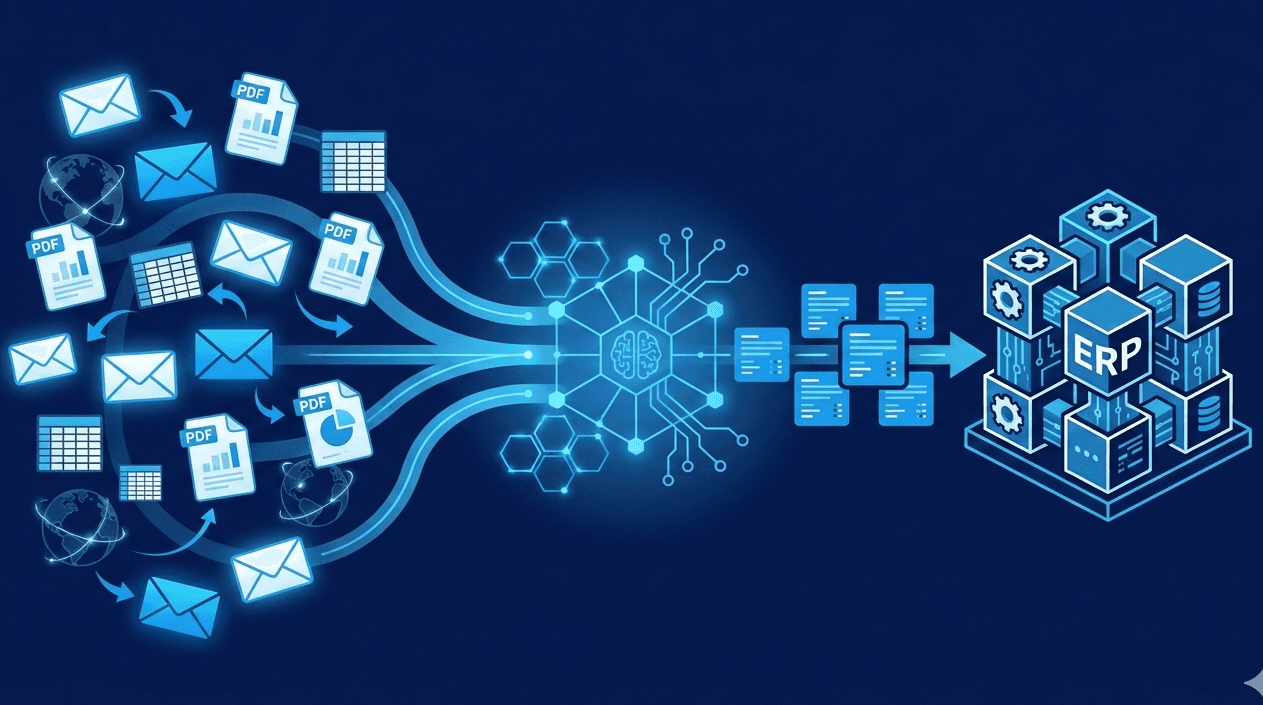
Mid-market companies frequently email POs as PDF attachments or Excel files. Some use vendor portals like Coupa or SAP Ariba where suppliers log in to retrieve orders. Others integrate through iPaaS platforms like Workato or Celigo to push orders directly into your ERP. And yes - even in 2025 - some companies still fax purchase orders.
Companies processing 200+ orders daily often receive them through 5-6 different channels, all requiring entry into the same ERP system.
Purchase order in the procurement cycle
The PO is typically the middle step in a three-document procurement process. First comes the purchase requisition (internal request for approval to buy). Then the purchase order (external request sent to the vendor). Finally, the invoice (vendor's bill for what was delivered).
When goods arrive, the buyer's receiving department checks them against the original PO. This three-way match - PO, receiving documents, and invoice - ensures the buyer pays only for what they actually ordered and received at the agreed-upon price. Discrepancies in any document trigger holds in accounts payable until someone investigates and resolves the mismatch.
What is a Sales Order?
A sales order is the seller's internal document confirming they'll fulfill a customer's purchase order. When you receive a PO from a customer, you create a corresponding SO in your system - NetSuite, SAP, QuickBooks, Microsoft Dynamics, Epicor, or whatever ERP you use - to manage that order through fulfillment.
The sales order is where the buyer's requirements get translated into your operational language. Their part numbers become your SKUs. Their "ship to Distribution Center 3" becomes your warehouse location code. Their preferred delivery date becomes your promise date that triggers your entire fulfillment timeline.
Sales order components
The SO mirrors the PO's information but translates it into your internal language:
Header information: SO number (your unique identifier for this transaction), customer account details, reference to the customer's PO number, order date and promised delivery date, and your internal sales rep or account manager assignment.
Line item details: Your SKU numbers (translated from the customer's part numbers), quantity to fulfill, your pricing (which should match the PO but sometimes doesn't), and any picking or packing instructions for your warehouse.
Fulfillment details: Ship-from location (which warehouse will fulfill this), shipping method and carrier, and internal routing (which team handles special requirements).
The sales order is your operational blueprint. Your warehouse uses it to pick products. Your shipping department uses it to create labels and packing slips. Your accounting team uses it to generate invoices. Your customer service team references it when customers call asking about order status.
How sales orders are created
Most companies still create sales orders manually. An order entry specialist opens the PO (whether it arrived via email, EDI, or portal), translates the customer's item numbers to internal SKUs using reference documents or institutional knowledge, enters quantities and pricing, and creates the SO record in the ERP.
This manual process takes 5-15 minutes per order depending on complexity. A distributor processing 500 orders daily burns 40-125 hours weekly just on data entry - before fixing any errors. The error rate on manual entry typically runs 2-5% according to industry benchmarks, meaning 10-25 orders daily need correction after the fact.
This is exactly why companies automate order entry. Platforms like Crew Capable eliminate manual SO creation by reading incoming POs regardless of format, automatically mapping customer part numbers to your SKUs based on historical patterns, and validating pricing against current lists before creating the sales order. The system catches mismatches that would corrupt your ERP if entered manually - part number changes, pricing discrepancies, quantity errors - while there's still time to resolve them cleanly.
Sales order in the fulfillment process
The SO triggers your entire fulfillment workflow. Once created, it feeds to your warehouse management system - whether that's Blue Yonder, Manhattan Associates, or a simpler system built into your ERP - for picking. Warehouse staff pull items based on the SO line items. The shipping department creates the shipment and updates the SO status to "shipped." Accounting generates the invoice based on what the SO says was shipped (not what the PO originally requested - any changes or substitutions get reflected in the SO).
Customer service tracks the SO through each status change to answer customer inquiries. When someone calls asking "Where's my order?", your team needs to quickly find the SO - which requires knowing how the customer's PO number maps to your SO number.
When the customer eventually pays, their check references their PO number. Your accounting team must match that PO number back to your SO number to apply the payment correctly. Companies without automated linking spend significant time each week reconciling payments to orders, playing detective with spreadsheets and email searches.
Key Differences
While POs and SOs contain similar information, they serve fundamentally different purposes and cause specific problems when they don't align perfectly.
Different perspectives on the same transaction
The purchase order represents the buyer's intent and requirements. It's created before the seller even agrees to fulfill the order. The customer's PO number becomes the reference they use for everything - receiving, payment, inquiries. Their entire system revolves around that identifier.
The sales order represents the seller's commitment and fulfillment plan. It's created after receiving the PO, reflecting your internal view of how you'll execute this order. Your SO number becomes the reference your entire company uses for fulfillment. Your systems revolve around this different identifier.
This creates the fundamental challenge: one transaction, two identifiers, two systems, two sets of item numbers. Every interaction between buyer and seller requires translating between these perspectives. When the customer calls asking about "PO-12345," you need to find "SO-67890" fast.
Item number translation complexity
Your customer's PO says "Blue Widget, Standard Size, Part # BWS-100." Your system knows this as "Widget Assembly, Blue, 12-inch, SKU WDG-100-BLU." These describe the same physical product, but the naming is completely different.
Multiply this across hundreds or thousands of items from dozens of customers, and you're maintaining massive translation tables. Customer A calls it one thing, Customer B calls it something else, and you call it a third thing. Manual order entry means constantly looking up "what's their part number XYZ in our system?"
And it changes. Customers update their part numbering schemes. You discontinue SKUs and introduce replacements. The mapping that worked for three years suddenly breaks when they migrate to a new procurement system and all their part numbers shift. Your order entry team discovers this when an order arrives with unfamiliar part numbers and nothing matches anymore.
Modern automated order entry systems learn these mappings from historical orders. The system recognizes that when Customer A orders "BWS-100," it always maps to your SKU WDG-100-BLU, because that's what the last 50 orders showed. When part numbers change, the AI flags the discrepancy for human review rather than guessing or rejecting the order entirely.
When discrepancies cause fulfillment failures
Look, the most expensive problems occur when the PO and SO don't match - and they often don't match for reasons nobody wants to admit:
Pricing mismatches: Customer's PO shows $47.50 per unit based on a quote from six weeks ago. Your SO reflects current pricing at $49.50 because your costs increased. Do you fulfill at the old price and lose margin? Charge the new price and argue with the customer mid-fulfillment? Either way, someone's making phone calls when they should be processing orders.
Quantity errors: PO says "10 cases," your order entry person enters "10 units" because they didn't catch the unit-of-measure specification. You ship 10 units, customer expected 10 cases (120 units total). Their production line stops. You're paying for expedited shipping on the shortfall plus dealing with an angry customer. All because of one data entry mistake on the SO.
Item substitutions: Customer's part number maps to a SKU you discontinued six months ago. Your system substituted the newer equivalent automatically. You ship the new version. They reject it because the mounting holes are 2mm different and it doesn't fit their assembly line. Now you're paying for returns and rush shipping the old version you don't even stock anymore - all because nobody caught the substitution before fulfillment.
Most companies discover these discrepancies after shipping, when the damage is done. Automated systems like Crew Capable validate orders before creating sales orders, flagging pricing mismatches, item number changes, and address variations while there's still time to resolve them cleanly with the customer.
Frequently Asked Questions

Stop manually translating customer PO numbers into sales orders while errors slip through. Crew Capable order automations processes purchase orders from any format - email PDFs, EDI transactions, Excel files, vendor portals - and creates accurate sales orders in your ERP with intelligent validation that catches part number mismatches, pricing discrepancies, and address errors before they corrupt your system. See how it works for your specific order mix.